Share the love and light of Diwali with videos that capture this special celebration. From warm wishes for family to festive traditions and sales offers, video brings greetings to life with messages that feel personal. Creating memorable Diwali videos for 2026 starts with the right ideas and creative tools, with options for Happy Diwali greetings, party invitations, inspirational quotes, and recipes.
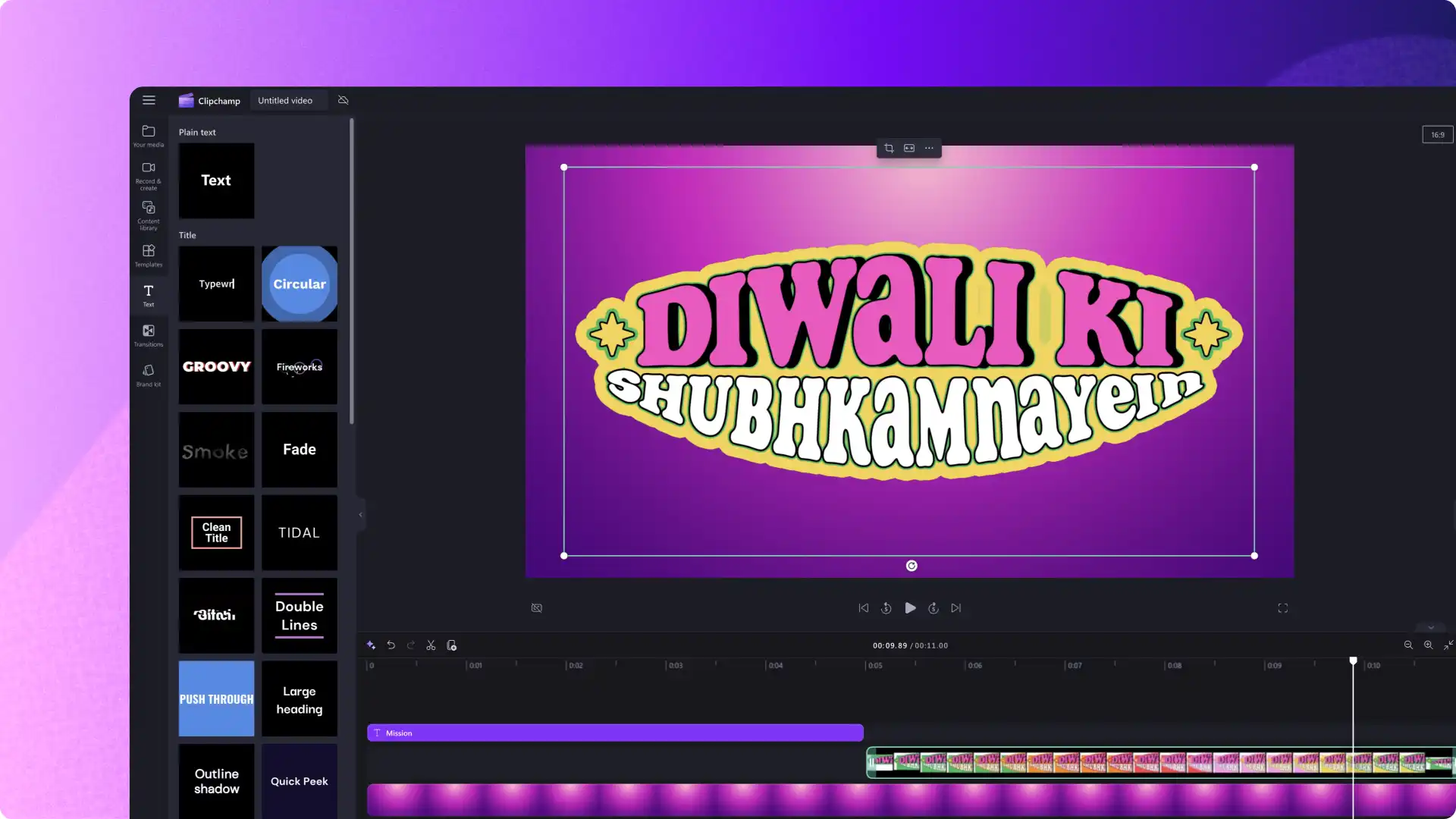
In this guide, explore Diwali video ideas and learn how to add a personal touch using video templates in Clipchamp video editor to share the spirit of the festival with family, friends, and followers.
10 easy Diwali video ideas with ready-to-use templates
1. Happy Diwali wishes video
Send family and friends a Happy Diwali video greeting card with a personal message for 2026.
The greeting template combines English and Hindi wishes with a fireworks background. Add the recipient's or family's name to personalize the message and try oil lamps or rangoli patterns as an alternative background by browsing royalty-free Diwali stock media.
2. Diwali video card for businesses
Share Diwali greetings with employees, clients, and social media followers. Add a brief message of thanks or a note about the year ahead that fits the business.
Customize the greeting template and add a brand logo before sharing the video across company channels.
3. Diwali recipe video
Showcase a family recipe or a new take on Diwali snacks and sweets, such as laddoos, through an engaging video for followers. Record the ingredients and key cooking steps so viewers can follow along.
Get started by creating a social media recipe teaser with this video template. Make it a full recipe video by recording video clips of the cooking process and combining them into a slideshow video. Don't forget to add text to the video to clearly outline ingredients and steps.
4. Diwali party video invite
Invite family, friends, or colleagues to a Diwali celebration with a video that shares the details at a glance.
Replace the template text with the time, location, and dress code. Add an RSVP date and contact details if needed, then share the invitation in WhatsApp, Facebook, or Instagram group chats. Finish with festive stickers that complement the message.
5. Diwali motivational quote video
Highlight the message about light, hope, or new beginnings through a motivational Diwali video. Choose a quote from Diwali's rich history, or simply create an original one.
Edit the template's font and message to make the words easy to read. Easily add a social media handle in a frame to keep credits in case the video gets re-posted.
6. Happy Diwali WhatsApp status video
Stand out in WhatsApp updates feed with personalized Happy Diwali status videos. Create a custom status for yourself or for the whole family to share on WhatsApp.
Start with a greeting template and personalize the message. Replace the background with fireworks or add emojis to match the celebration. A vertical version can also work as an Instagram or Facebook Story.
7. 'Get ready with me' Diwali video
Demonstrate a saree drape or kurta styling, or share Diwali hair, makeup, or accessorizing ideas in a relaxed 'get ready with me' video with short clips for Instagram Reels.
Record each stage and replace the template footage with the new clips. Add festive stickers and brief text labels to explain the look.
8. Diwali history and facts video
Engage social media followers with a short video about Diwali history, facts, and traditions. Introduce the story of Lord Ram's return to Ayodhya as the origin of the festival, then explain familiar Diwali traditions such as lighting diyas, making rangoli, and sharing sweets.
Choose a specific tradition for each video and acknowledge that celebrations vary across regions and communities. Explore the Diwali festival guide (opens in a new tab) for background when planning the script.
Use Diwali stock media as a background, add short explanations as animated text, and choose ambient music that can accommodate narration. Try a Hindi AI voice over to narrate the video in Clipchamp video editor.
9. Diwali sales video
Promote a Diwali offer with a video that clearly shows the product, price, and offer dates. Share these promo videos across brand channels, or create a gift guide featuring a few products.
Customize a sales template with fireworks or diya backgrounds from the content library. Replace the sample offer text with the current details and include any conditions customers need to know.
10. Diwali decoration ideas and video tutorial
Help followers learn unique Diwali decoration styles with a video that highlights design ideas like lighting arrangements, colorful rangoli, or sustainable DIY decor ideas. Show the materials, explain each step, and end with the finished decoration.
Use a step-by-step template to organize the clips for YouTube Shorts or Reels. Keep each instruction visible long enough to read.
Watch how to use a Diwali video template tutorial
Follow the video tutorial to personalize text, replace stock footage, and add festive elements to a Diwali video.
Choose a greeting, invitation, or recipe idea and make a Diwali video ready to share. For more seasonal inspiration, explore Christmas video ideas or check out our video marketing calendar.
Start editing today with Clipchamp video editor or download the Microsoft Clipchamp Windows app.
Frequently asked questions
- When is Diwali in 2026?
In 2026, Diwali falls on Sunday, the eighth of November. Celebrations can span several days, with traditions and observances varying by region and community. Plan filming and editing ahead of the celebration.
- What video format works best for Diwali greetings?
Choose a vertical 9:16 layout for WhatsApp status videos, Stories, Reels, and YouTube Shorts. A landscape 16:9 layout suits standard YouTube videos. Use Clipchamp video editor to resize a video and check that the text stays readable in the chosen format.
- Can I use Diwali templates for commercial purposes?
Use Clipchamp video templates for business greetings or promotional videos, subject to the applicable terms. The stock media terms permit commercial use of included stock media within exported videos when the account's plan provides access to those assets. Review the stock media terms (opens in a new tab) before publishing, and do not redistribute individual stock files.
- How long should a Diwali video be?
For a short greeting or promotional post, try 15 to 60 seconds as a starting point. Give recipes and decoration tutorials enough time to explain each step. Check the destination app's current upload limits, and keep the opening message clear.
Heads up! The screenshots in this article are from Clipchamp for personal accounts. The same principles apply to Clipchamp for work and school accounts.